Payroll Made Manageable: Payslips, Advance Payments, Overtime, and Expenses
How to run payroll for a small team without the spreadsheet chaos: flexible payslips, salary advance requests, overtime declarations, and expense reimbursements with approval workflows.
S
SimpleHR Team
SimpleHR
Payroll is the module where a small mistake costs real money, and a borrowed spreadsheet makes small mistakes too easy to make. The goal isn’t to replicate an accounting suite; it’s to keep pay accurate, approval decisions visible, and history easy to pull up when someone asks.
Here’s how to think about the pieces: payslips at the center, with advance payments, overtime, expenses, and leave encashment feeding into a clear, role-based picture of who gets paid what.
Keep payslips simple and accurate
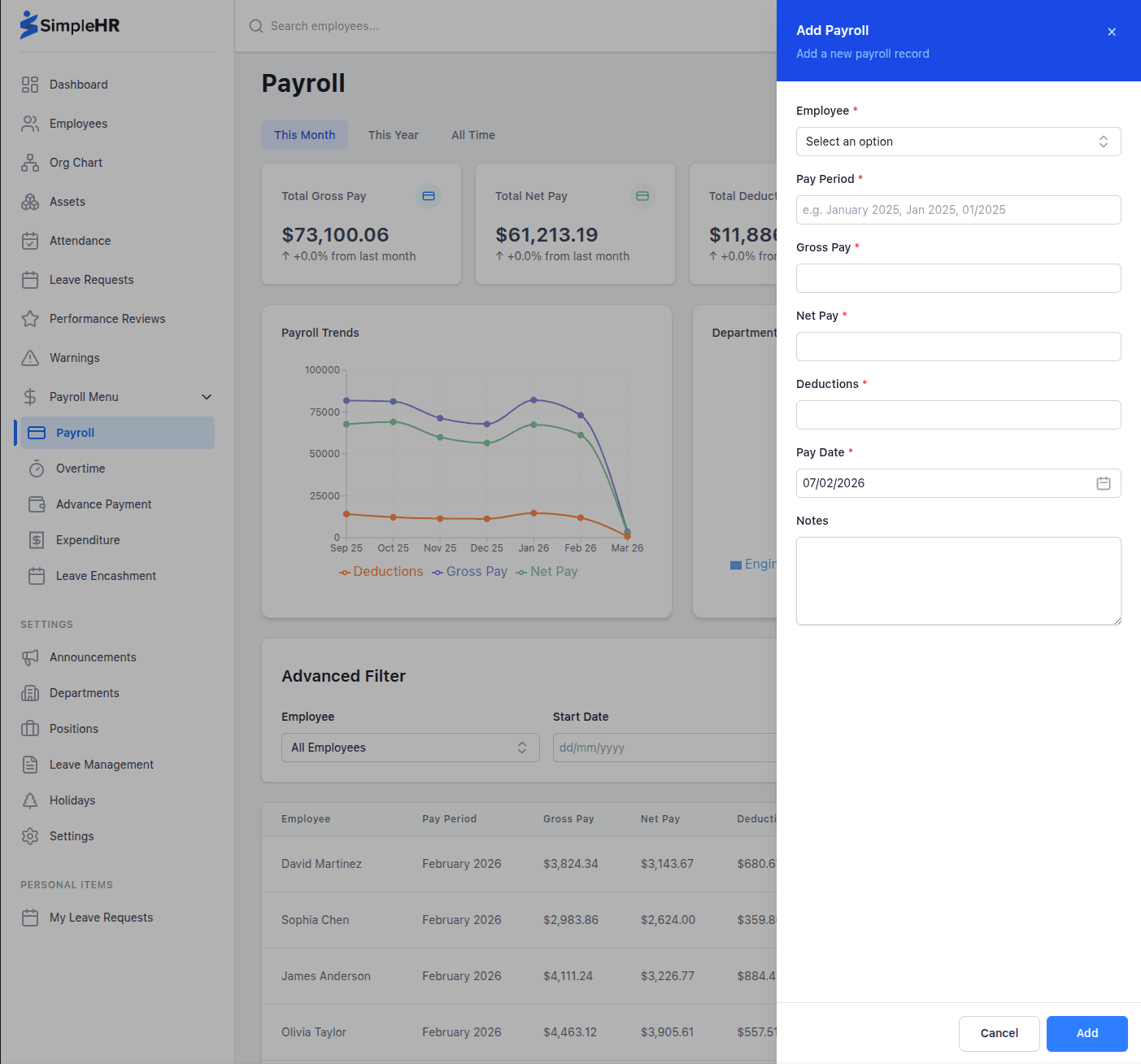
Payslips are the record that matters most. In SimpleHR, pay periods can be monthly, weekly, or daily, and most fields are optional, so you can create a one-line salary slip or a detailed breakdown with deductions, whichever your team needs.
Flexible periods: run payroll monthly, weekly, or even daily.
Optional detail: keep slips minimal or include deductions, bonuses, and notes.
Filter & search: look up any employee’s past payroll by date range.
Analytics: summary cards and charts for gross pay, net pay, deductions, and department totals.
Who sees what
Payroll is restricted by role. Admins see everything; managers see only their own subordinates’ payroll. This keeps sensitive pay data private while still being practical for line managers.
Let employees request salary advances
Advance payments cover situations where an employee needs part of their salary early (medical bills, rent, an unexpected expense). Instead of an informal arrangement, make it a tracked, approvable request that repays through future deductions.
The employee specifies the amount, the number of repayment installments (default 1), and a reason. The manager or admin approves or rejects, and the employee is notified of the decision.
A salary advance should be a visible, approved line item, not a favor that lives in someone’s inbox.
Track overtime declarations
Overtime is easy to lose track of when it’s logged informally. Employees declare their overtime (date, hours, and reason), and a manager or admin reviews and approves it, so it can be compensated reliably on top of regular salary.
Module
Who requests
Who approves
Advance payment
Employee
Manager or admin
Overtime
Employee
Manager or admin
Expenses
Employee
Manager or admin
Leave encashment
Employee
Manager or admin
Handle expenses and receipts securely
Expense reimbursement deserves more than an email thread and a photo of a receipt. Employees submit expenses with a receipt image, and the receipt is stored securely (in a private cloud bucket in cloud deployments, or in a private local folder when self-hosted).
Only authorized people can view a receipt: the employee who submitted it, their managers, and admins. That keeps sensitive images out of shared drives while still giving approvers what they need to sign off.
Watch the analytics instead of the inbox
Across payroll, advances, overtime, and expenses, managers and admins get summary cards and charts they can filter by month, year, or all time (total amounts, pending requests, and monthly trends). That turns a pile of individual approvals into a view of what compensation is actually costing the company.
Frequently asked questions
Can managers see everyone’s payroll?
No. Managers only see payroll for their own direct reports. Admins can see all payroll records.
Can we run payroll more often than monthly?
Yes. Pay periods can be monthly, weekly, or daily, and most payslip fields are optional so you can keep it simple.
How is a salary advance repaid?
The advance specifies the number of installments (default 1), and it’s repaid through future salary deductions as configured.
Are expense receipts secure?
Yes. Receipts are stored in private storage (private cloud bucket or private local folder) and only visible to the submitter, managers, and admins.
The bottom line
Small-team payroll works best when the pieces are connected and role-limited: accurate payslips, a visible path for advances, declared overtime, and secure expense receipts. With approval workflows and analytics in one place, you keep compensation accurate and disputes rare, and you always know where the money is going.