Self-Hosted vs. Cloud HR Software: Which Is Right for Your Small Business?
Self-hosted or cloud HR software? Compare cost, control, security, and setup for small teams, and learn which deployment model fits your business — plus a third option that gives you both.
S
SimpleHR Team
SimpleHR
Choosing HR software usually starts with a feature checklist. But the first decision that shapes everything else — cost, control, security, and how much IT help you’ll need — is how the software is deployed: self-hosted on your own infrastructure, or cloud-based (SaaS) and managed by a vendor.
For small businesses (say, teams under 100), this choice is rarely about enterprise compliance. It’s about trade-offs: how much you pay over time, how much control you keep over sensitive employee data, and how quickly you can get up and running.
This guide breaks down what each model really means, where each one shines, where it falls short, and a third option that lets small teams get the best of both — owning the source code without becoming their own IT department.
What “self-hosted” and “cloud” actually mean
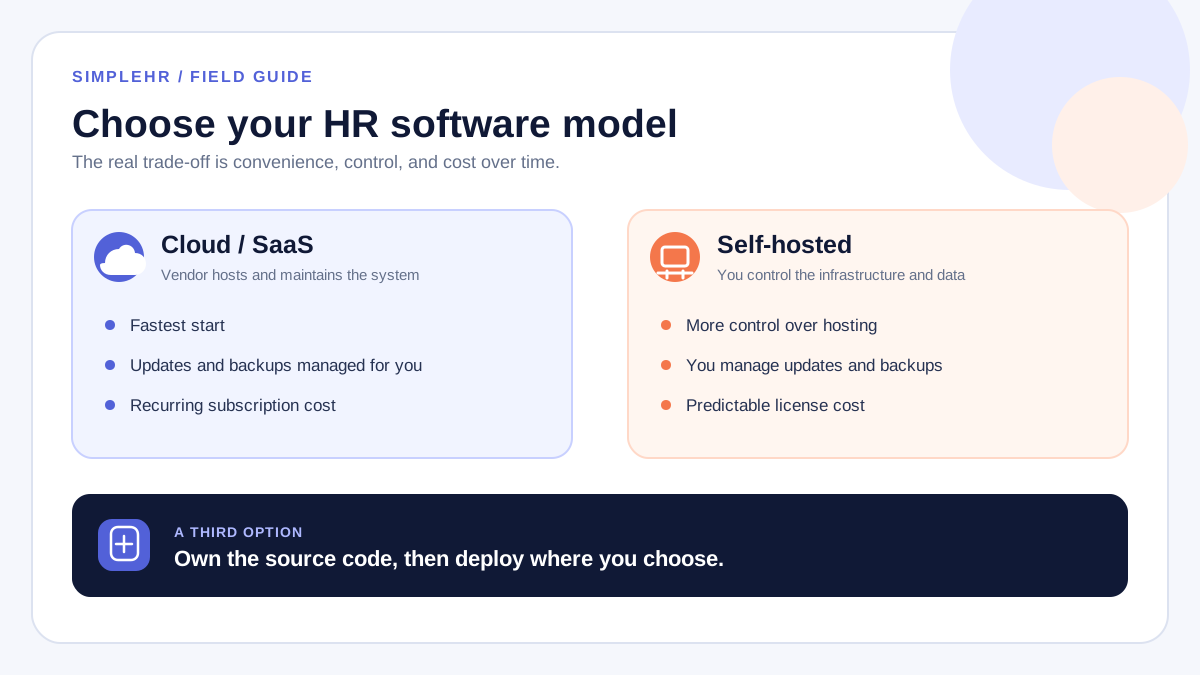
Cloud HR software (SaaS) is hosted and maintained by the vendor. You sign up, log in, and use it. The vendor handles servers, updates, backups, and security. You pay a recurring fee, usually per employee per month.
Self-hosted HR software runs on infrastructure you control — your own server, a VPS, or even on-premises. You install it, you maintain it, and your data lives wherever you put it. There’s typically a one-time license fee rather than a subscription.
“Self-hosted” does not mean “insecure.”
It just means you’re responsible for the environment. Many self-hosted tools — SimpleHR included — ship with encryption, two-factor authentication, and brute-force protection built in. The responsibility for keeping them configured and updated is yours.
The case for cloud HR software
Cloud wins on convenience. If your team has no dedicated IT and wants to be running within an hour, SaaS is hard to beat.
Zero setup. Create an account and start adding employees.
No maintenance burden. The vendor patches, upgrades, and backs things up.
Automatic updates. New features land without you lifting a finger.
Managed backups. Your data is (usually) replicated and restorable.
Predictable scaling. Add seats as you grow without re-architecting anything.
Vendor support. Something breaks, you open a ticket — not a terminal.
The case for self-hosted HR software
Self-hosted wins on control and long-term cost. If you’re comfortable running a server — or willing to pay someone to set it up once — it keeps paying off for years.
Full data control. Employee records live on your infrastructure, not a vendor’s.
One-time cost. A license fee instead of a per-employee monthly bill.
No vendor lock-in. You’re not dependent on a company staying alive or keeping its terms.
Real customization. With source access, you can adapt workflows to your business.
Privacy. Sensitive HR data never leaves infrastructure you control.
Where each model falls short
Neither model is free of trade-offs. Knowing the weaknesses up front saves painful surprises later.
Recurring costs grow. Per-employee pricing quietly balloons as you hire.
Limited customization. You work within the vendor’s configuration options.
Vendor lock-in. Exporting your data and leaving can be harder than it sounds.
Downtime depends on the vendor. An outage on their end is an outage on yours.
Self-hosted, meanwhile, asks more of you up front:
It needs setup. Deployment, SSL, and database configuration take real effort.
You handle updates and backups. Nobody patches it for you.
More upfront work. The payoff comes over months and years, not minutes.
A quick comparison
Factor
Cloud (SaaS)
Self-hosted
Cost over time
Recurring, scales with headcount
One-time license, predictable
Data control
Vendor-hosted
You host it
Setup
Minutes (sign up)
Hours to days (deploy)
Maintenance
Handled by vendor
Your responsibility
Customization
Limited
Full source access
Data export
Depends on vendor policy
Direct database access
How to decide
Run your situation through these questions — they tend to point to the right model faster than any feature comparison.
Budget model. Do you prefer a predictable monthly cost, or a one-time fee you depreciate over years?
Data sensitivity. Are you comfortable with employee records on a vendor’s servers, or must they stay on yours?
IT resources. Do you have someone who can deploy and maintain a server — or can you buy a one-time deployment service?
Customization needs. Will you outgrow a fixed SaaS config, or is “good enough” fine?
Long-term horizon. Over 3–5 years, which is genuinely cheaper for your expected headcount?
A third option: source code you own
The choice isn’t strictly binary. Some vendors — SimpleHR included — sell the full source code as a one-time license. You get the control and cost predictability of self-hosting, with a product that’s already built and maintained, plus the option to pay for managed deployment when you need it.
How SimpleHR fits
You receive the complete codebase, deploy it on your own infrastructure, and own your HR data outright — no per-employee fees, no subscription. Prefer to start managed? A hosted SaaS version is on the way; join the waitlist to be notified.
This middle path suits small teams that want ownership without becoming IT admins: buy the code, deploy once (or pay for deployment), and run it for years without recurring costs.
Don’t forget data portability
Most modern HR tools — self-hosted or cloud — support CSV import so you can migrate in bulk. A standard employee import looks something like:
Avoid tools that lock your data behind proprietary formats. You should always be able to get your records out as easily as you put them in — ideally with direct database access and standard exports like CSV.
Frequently asked questions
Is self-hosted HR software secure?
It can be. Security depends on the deployment. Look for built-in two-factor authentication, encryption at rest and in transit, and brute-force protection — then keep the environment updated. “Self-hosted” describes who runs it, not how safe it is.
Can I switch from self-hosted to cloud later?
Usually yes, as long as you can export your data. The safest setups avoid vendor lock-in by giving you direct database access and standard export formats like CSV and PDF, so you can move whenever you choose.
Do I need a developer to run self-hosted HR software?
For a basic deployment, clear documentation and a setup wizard are often enough. For production hardening — SSL, automated backups, SMTP — some server experience helps, or you can pay for a one-time deployment service.
Is self-hosted cheaper than SaaS?
For small teams over a multi-year horizon, a one-time license is usually cheaper than per-employee monthly fees. For very small teams that value zero maintenance above all else, SaaS can be worth the premium.
The bottom line
Cloud HR software wins on convenience; self-hosted wins on control and long-term cost. For small businesses that want both — real ownership of their HR data without a recurring bill — source code you own is the pragmatic middle ground.
Whatever you choose, prioritize the three things that matter most for HR data: ownership (can you leave with your data?), security (2FA, encryption, audit trails), and total cost over a realistic horizon — not just month one.