Employee Attendance Tracking: Methods, Tools, and Best Practices
The main ways to track employee attendance, from time clocks to apps, how to handle remote and hybrid teams, and the best practices that keep records accurate and fair.
S
SimpleHR Team
SimpleHR
Attendance tracking answers a simple question each work day: who is here, who is not, and who is on time. The methods you choose shape everything downstream, from payroll to leave balances to fair policy enforcement.
This guide covers the main ways to track attendance, how to handle remote and hybrid teams, and the practices that keep your records accurate.
The main methods of tracking attendance
Method
How it works
Best for
Paper sign-in
Employees sign a sheet
Very small, on-site teams
Time clock
Punch in and out at a device
Sites with fixed hours
Spreadsheet
Manual entry in a file
Teams not ready for software
HR app / widget
Check in and out in the app
Most small and growing teams
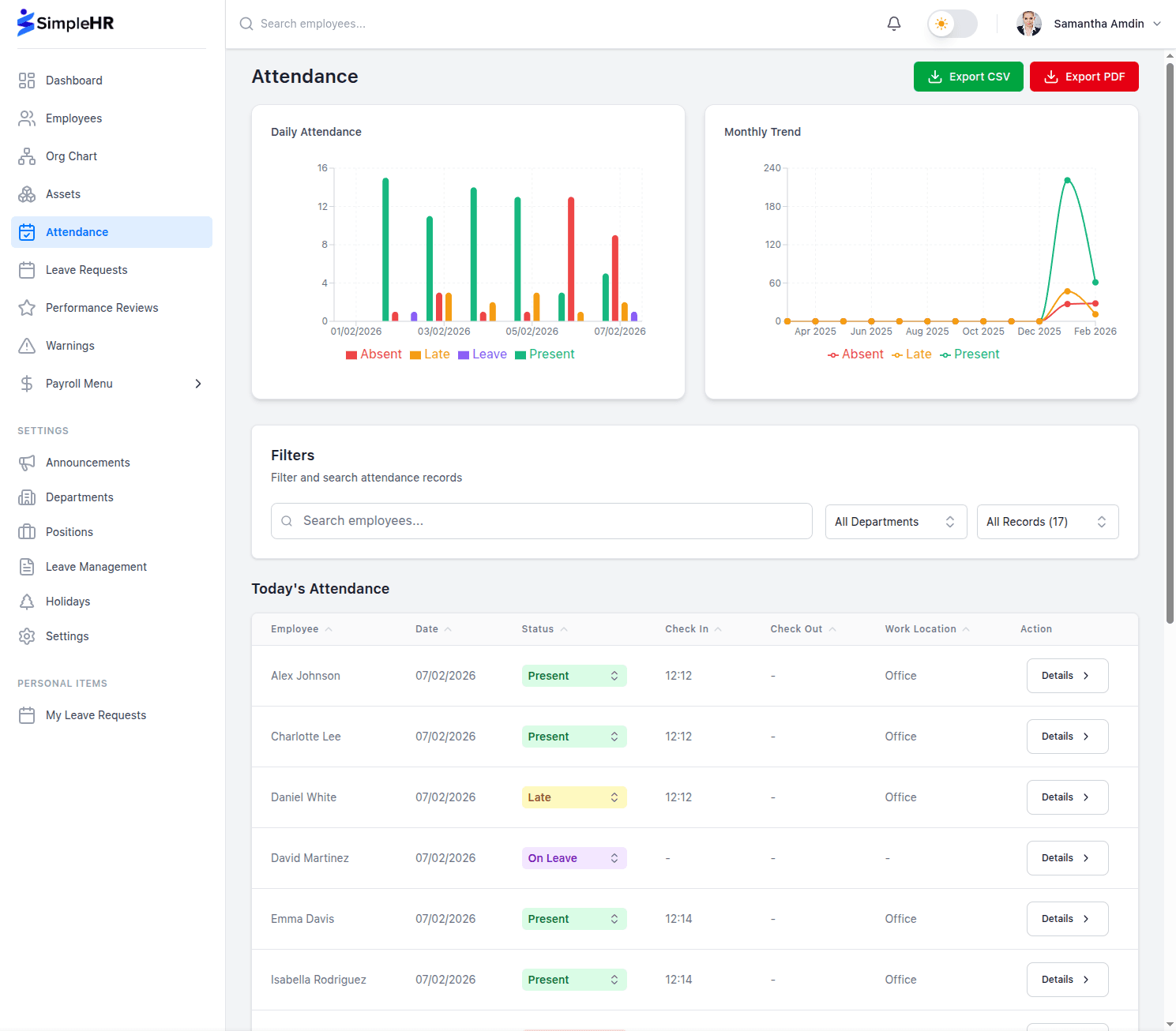
For most modern small businesses, an app or dashboard widget is the practical option because it works on mobile, tracks the time automatically, and feeds payroll directly.
Set up the schedule first
Define which days are working days each week.
Set work start and end times.
Add a grace period so a few minutes late is not automatically a problem.
Choose whether to flag late check-ins automatically.
Add public holidays so the calendar is accurate.
Handling remote and hybrid teams
Remote and hybrid work changes how attendance works. Instead of a physical clock, employees check in from wherever they are and pick a work location, such as office or remote. This keeps a clear record without assuming everyone is in the same building.
Key points for remote teams:
Let employees choose their work location when they check in.
Set clear start and end times that apply regardless of location.
Use automatic status updates, such as marking employees on leave.
Keep the same late policy across locations for fairness.
Best practices for accurate records
Be consistent: use one method for everyone.
Review daily: catch mistakes while they are easy to fix.
Protect past records: make yesterday read-only so history stays trustworthy.
Sync with leave: show on-leave days instead of treating them as absent.
Export reports: keep CSV or PDF copies for payroll and records.
Let the schedule drive the records
When work days, hours, and holidays are configured up front, the system creates the right records automatically and flags late arrivals, so you spend less time on data entry.
Frequently asked questions
Can we track attendance for a remote team?
Yes. Employees can check in and out from the app and choose a work location, so the method works the same for office, remote, and hybrid staff.
What happens if someone forgets to check in?
On a work day that is not a holiday, many systems create an automatic absent record. Admins or managers can also correct the current day’s status.
Should attendance records be editable later?
Keeping past days read-only preserves trust in the history, while still letting managers correct the current day. Export reports for anything that needs an official copy.
What is a grace period for attendance?
It is a window after the start time, such as 15 minutes, during which a late check-in still counts as on time. It gives employees a little flexibility without changing the policy.
The bottom line
Accurate attendance tracking starts with a clear method and a well-configured schedule. Use an app that works for remote and on-site teams alike, keep past records trustworthy, and export reports for payroll. Done well, it is a simple, automatic system rather than a weekly chore.