Keeping HR Data Secure: 2FA, Encryption, and Access Control, Explained
HR systems hold some of the most sensitive data a company has. Here’s how to protect it: two-factor authentication, field-level encryption, document security, and account protections that stop brute-force attacks.
S
SimpleHR Team
SimpleHR
An HR system holds the crown jewels of employee data: social security numbers, tax IDs, bank accounts, health insurance details, salaries, and performance notes. It’s the kind of information that causes real harm if it leaks, and it’s exactly why security shouldn’t be an afterthought bolt-on.
The good news is that protecting it doesn’t require an enterprise security team. It requires a handful of concrete practices layered together. Here are the ones that matter most.
Start with two-factor authentication (2FA)
A password alone is a single point of failure. Two-factor authentication adds a second check (in SimpleHR, a 6-digit code emailed to the user), so a stolen password isn’t enough to get in.
Email-based 2FA: a 6-digit verification code sent on login.
10-minute expiry: codes expire quickly, so they can’t be reused indefinitely.
Configurable: admins can require 2FA globally or toggle it per employee.
Enabled by default: new employees start with 2FA on (you can adjust it).
2FA needs email to work
Because codes are delivered by email, 2FA only functions when SMTP is configured. If email isn’t set up, the system disables 2FA and users can’t turn it on until it is. Verify email settings early.
Encrypt sensitive fields at rest
Encryption protects data even if the database itself is compromised. SimpleHR supports field-level encryption with AES-256-GCM for the most sensitive fields: social security numbers, tax IDs, IBANs, bank names, health insurance, and meal card numbers.
Encryption is transparent in day-to-day use: data is encrypted on write and decrypted on read automatically, so you get protection without extra steps for employees. Set an encryption key to turn it on, and you protect only the fields that genuinely need it, not the whole database.
The compliance angle
Laws like GDPR and CCPA can impose strict rules on storing personal identification data. Encrypting sensitive fields and reviewing where data is stored helps you stay on the right side of data residency and privacy requirements.
Protect documents, not just logins
HR documents (contracts, certifications, licenses) deserve the same care as the database. File uploads are validated for type and size, MIME spoofing is prevented, and access to documents goes through authenticated, role-based routes so only authorized people view them.
Documents can carry expiry dates too, so HR gets reminded when a contract or license needs renewing, a small feature that prevents bigger compliance headaches.
Stop brute-force attacks automatically
Automated attackers try many passwords across many accounts. SimpleHR ships with built-in account protection that needs no extra configuration: after 5 failed login attempts, the account is locked for 15 minutes, with clear feedback showing how many attempts remain.
Separate rate limiting for passwords and 2FA verification.
Automatic lockout on repeated failures.
Real-time “X attempts remaining” feedback.
Automatic unlock once the lockout expires.
Lock down access with role-based control
Security isn’t just about keeping attackers out; it’s about making sure insiders can only see what they need. Role-based access control means employees, managers, and admins each get appropriate visibility: managers see their own team, admins see everything, and employees see only themselves.
The best security is the kind that’s invisible until it stops a problem you never knew was coming.
Frequently asked questions
Is employee data encrypted even if I don’t set a key?
Field-level encryption is optional. Without an encryption key, sensitive fields are stored as plaintext. Set the JSON-string encryption key to enable AES-256-GCM protection for those fields.
How does 2FA work in SimpleHR?
Users receive a 6-digit verification code by email on login. Codes expire after 10 minutes. 2FA requires email (SMTP) to be configured.
What happens after too many failed logins?
After 5 failed attempts, the account is locked for 15 minutes. Separately, repeated 2FA failures also trigger lockout. Successful login resets the counters.
Can managers see other employees’ documents?
Only with the appropriate permission. Document access is secured and role-based, so access is limited to authorized managers and admins.
The bottom line
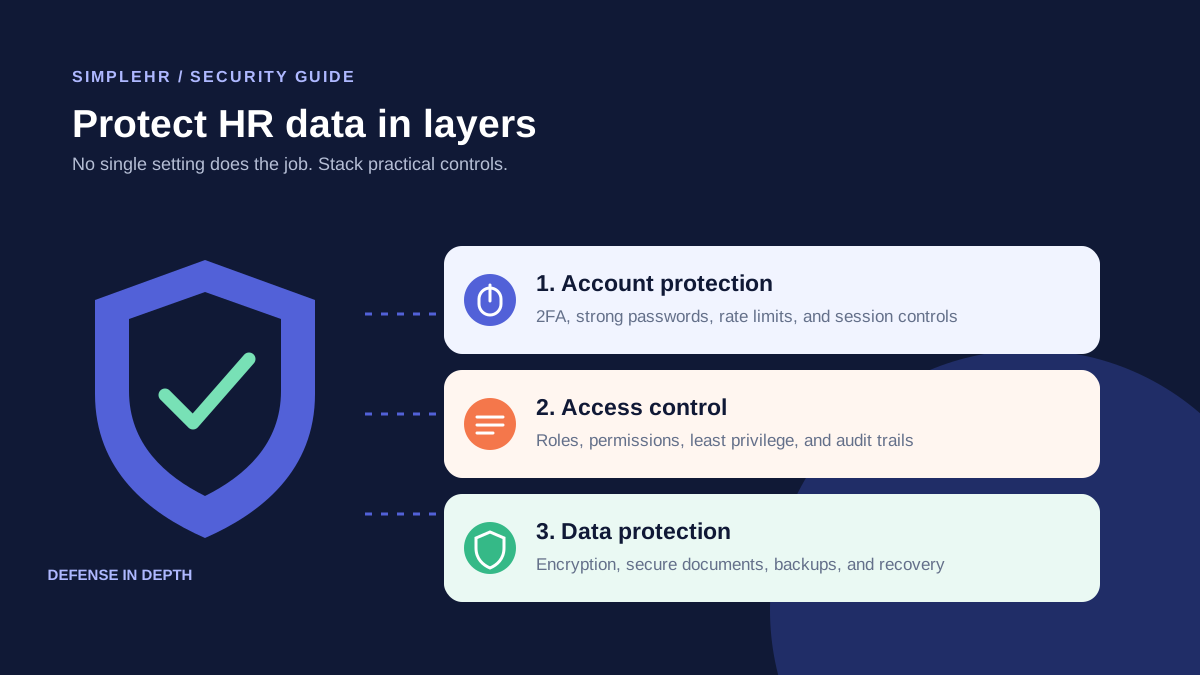
HR data is too sensitive to leave to hope. Layer real controls: two-factor authentication, field-level encryption, secured documents, brute-force protection, and role-based access. Used together, they turn “we have an HR system” into “our employees’ data is genuinely protected.”