Building a Fair Performance Review and Discipline Process
Structured reviews with weighted competencies, flexible cycles, and clear approval flows, plus a warning system with acknowledgment, so feedback is fair, documented, and never awkward.
S
SimpleHR Team
SimpleHR
Nobody loves the annual review meeting, but everyone benefits from consistent, documented feedback. The goal isn’t to make performance conversations fun; it’s to make them fair, comparable, and hard to argue with. Structure does that.
Here’s how to build a review and discipline process that feels rigorous without feeling bureaucratic.
Make reviews structured, not freeform
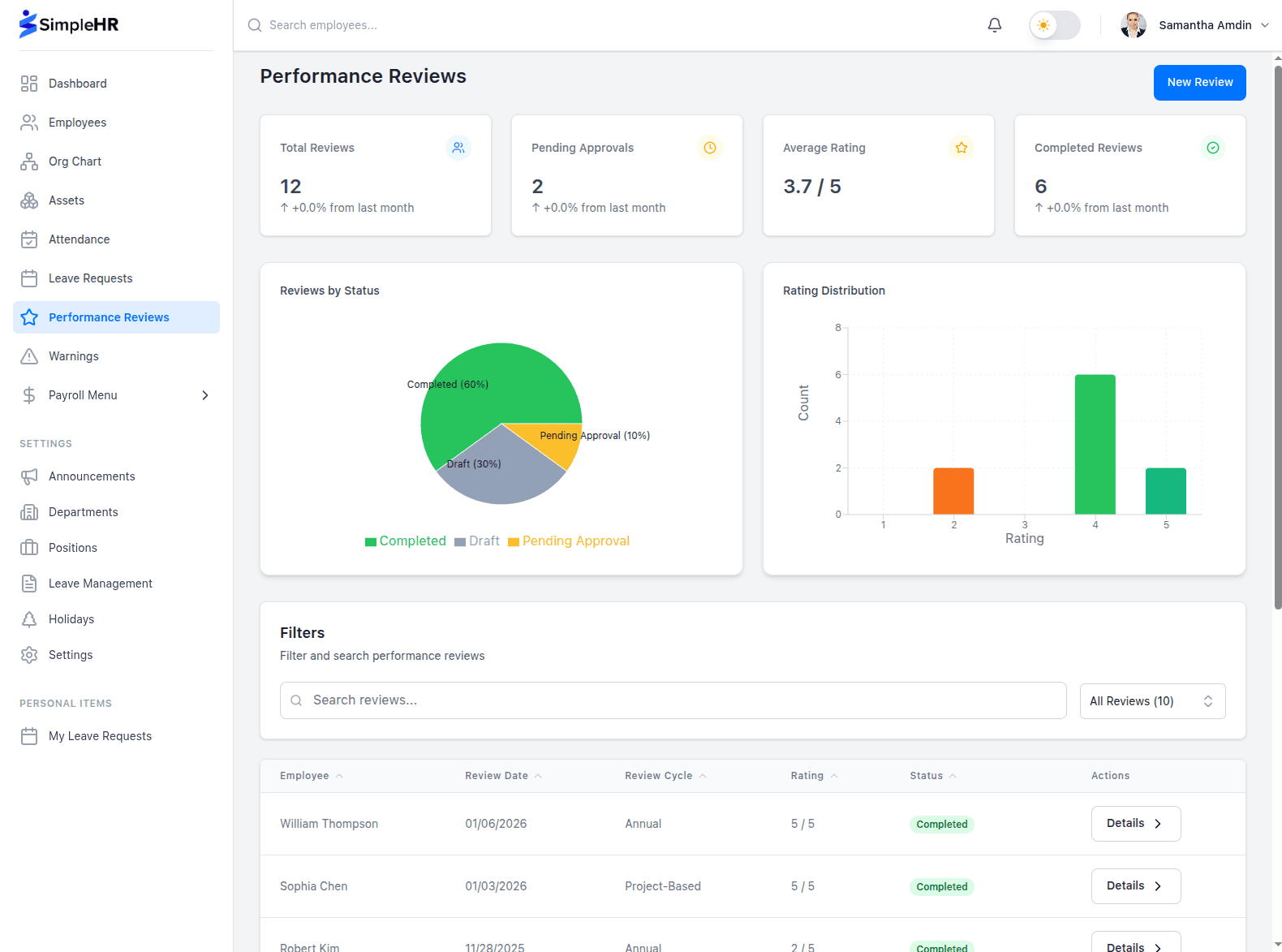
A good review measures the same things consistently across your team. Instead of leaving managers to write whatever they want, SimpleHR uses weighted competency ratings: score each skill on a 1–5 scale and assign a weight so the things that matter most carry the most weight.
Competencies: add the skills you care about: Technical Skills, Communication, Leadership, and so on.
1–5 star ratings: keep scoring consistent from person to person.
Weights (0–100%): prioritize certain skills; they must total 100%.
Calculated average: a weighted score is computed for you automatically.
Flexible review cycles
Cycles are a free-text field, so you can run quarterly, annual, project-based, or probation reviews (“Q1 2026,” “Annual 2025,” or “Probation Review”). Fit the process to your company, not the other way around.
Add context beyond the score
A rating is just a number until it’s backed by context. Reviews capture comments per competency plus overall notes: goals, strengths, areas to improve, and an action plan. That’s what turns a score into a conversation an employee can actually act on.
Use an approval step where it matters
A review is fairer when someone takes a second look before it’s final.
Reviews can optionally be marked “Needs Approval.” When that’s on, the reviewee’s manager receives a notification and must approve before the review is finalized. Once approved, a review is locked from further editing so the record stays stable.
Handle discipline with documentation and acknowledgment
Warnings and disciplinary actions are never fun, but they’re far worse when they happen informally and leave no record. A proper warning system lets you issue, track, and review disciplinary actions consistently, with analytics so HR can spot patterns early.
Issue a warning: select the employee, type, enforcement, details, and optional expiration/resolution.
Filter & analyze: views by department, status (active/resolved/expired), and monthly trends.
Require acknowledgment: employees confirm they’ve seen it, with an optional note.
Notify on acknowledgment: the issuing manager is notified when the employee acknowledges.
Warning element
What it captures
Type
The category of the warning
Enforcement
How it will be enforced
Status
Active, resolved, or expired
Acknowledgment
Employee confirmation, with note
Issuer
The admin/manager who issued it
Everyone sees their own record
Managers and admins see and manage all warnings for their scope. Employees can view their own warnings and acknowledge them when required, a small thing that keeps the process transparent and fair for the person on the receiving end.
Frequently asked questions
Does every review need approval?
No. “Needs Approval” is a choice per review, a company decision, not a system-wide requirement. Some teams approve every review; others skip it.
Can a weighted rating be unfair?
Weights must total 100%, and each competency gets its own 1–5 rating. That makes scores transparent and repeatable across your team.
What happens when an employee must acknowledge a warning?
They see an “Acknowledge Warning” button, can add a note, and confirm. The issuing manager is then notified of the acknowledgment.
Can reviews be edited after approval?
Approved reviews are locked from editing to keep the record stable, though they can still be deleted if a genuine correction is needed.
The bottom line
Reviews and discipline both work better with structure: weighted, consistent scoring; an optional approval step; and a documented warning process with acknowledgment. You get feedback that’s fair and comparable, records that hold up, and far fewer “he said, she said” conversations.