HR software is a broad term, and searching for it returns thousands of products with different names and price tags. Before you compare vendors, it helps to know what these tools actually do and where the categories differ.
At its simplest, HR software is a system that stores employee records and automates the everyday HR tasks a company runs: hiring, time off, attendance, payroll, and performance. Instead of chasing emails and spreadsheets, you work from one place.
Why companies buy HR software
Most small businesses start with spreadsheets and email, which works until the company grows. The reasons people move to HR software are usually the same:
- One source of truth: employee data lives in one place instead of a dozen spreadsheets.
- Automation: approvals, reminders, and notifications handle the follow-up work.
- Fewer errors: leave balances, pay calculations, and records are computed instead of typed.
- Better security: sensitive data is protected by logins, roles, and encryption.
- Compliance support: organized records make audits and reporting simpler.
HRIS, HRMS, and HCM: the main types
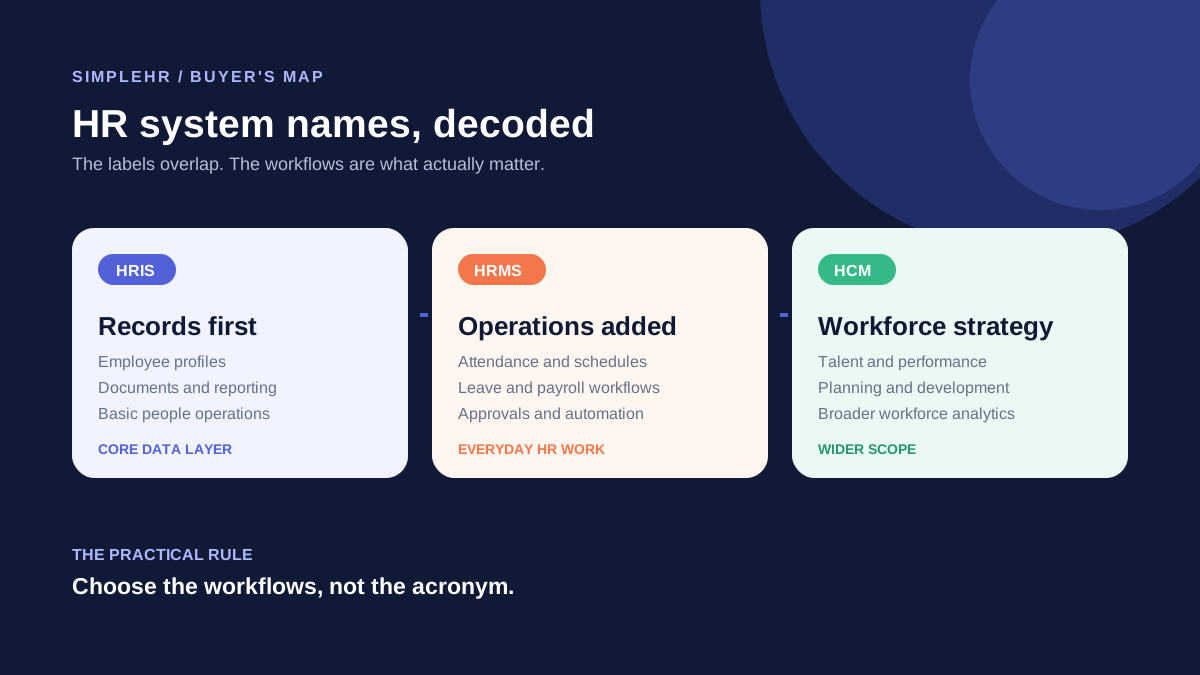
You will see three acronyms over and over: HRIS, HRMS, and HCM. They are not the same, but the lines between them have blurred as vendors bundle more features.
| Type | Stands for | Focus |
|---|
| HRIS | Human Resources Information System | Employee data and records |
| HRMS | Human Resources Management System | Adds payroll and time tracking |
| HCM | Human Capital Management | Broader talent and workforce management |
For most small businesses, the label matters less than whether the tool covers what you need. A capable HRIS that handles records, attendance, leave, and payroll is often more than enough.
The features to expect
- Central employee profiles with personal, employment, and emergency details.
- Attendance tracking with work schedules and check-in/out.
- Leave types, requests, approvals, and automatic balance tracking.
- Payroll records, payslips, advances, overtime, and expenses.
- Secure document storage with access controls.
- Onboarding task lists and performance reviews.
- Reports and analytics so you can see the numbers at a glance.
Is HR software for you?
HR software pays off as soon as you have more than a handful of employees and your time is going into spreadsheets instead of people. It is useful for companies of any size, but it helps the most when you hit the point where manual tracking breaks or becomes a full-time job.
Frequently asked questions
Is HR software the same as payroll software?
No. Payroll software handles pay calculations and tax filing. HR software is broader and typically includes payroll as one module alongside employee records, attendance, and leave.
Do small businesses really need HR software?
Not always at a few employees, but it becomes valuable once manual tracking gets messy. Most small teams benefit once they have enough staff that spreadsheets and email stop keeping up.
Can HR software handle sensitive data securely?
Good HR software protects data with role-based access, two-factor authentication, and encryption for sensitive fields like tax IDs and bank details.
How long does it take to get started?
Products designed for small teams can be running the same day, with data imported from a spreadsheet and the setup guided by a wizard.
The bottom line
HR software is a system for storing employee records and automating the everyday work of running a team. Start with the essentials, understand the categories, and pick a tool that fits small-team needs and budget.